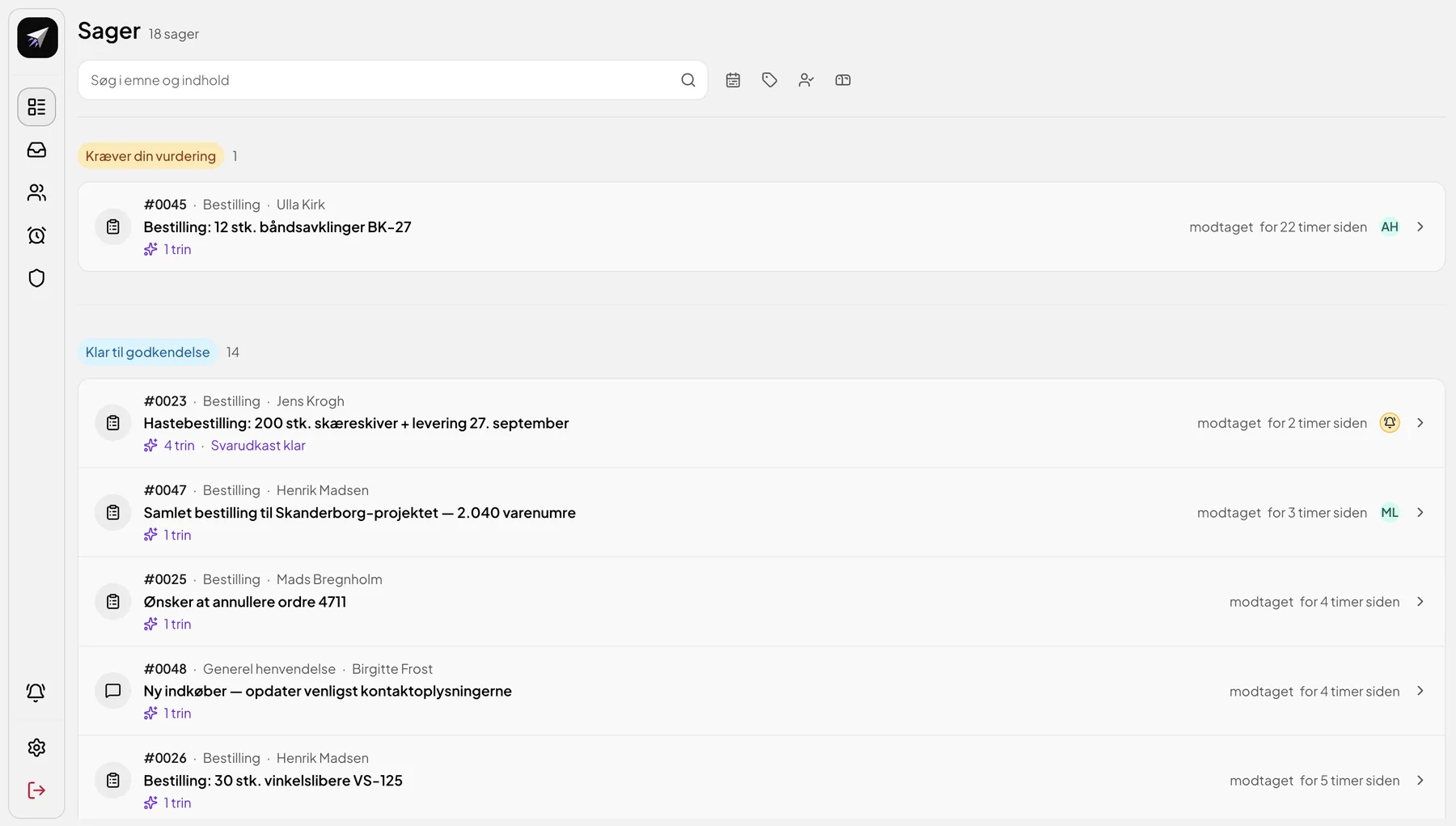
From customer email to prepared quote and order.

Relay brings together customer dialogue and data from your ERP and CRM, so you avoid much of the manual groundwork. Get draft replies, quotes and order details ready for review. You keep the approval.

You can keep using Outlook and your existing systems.

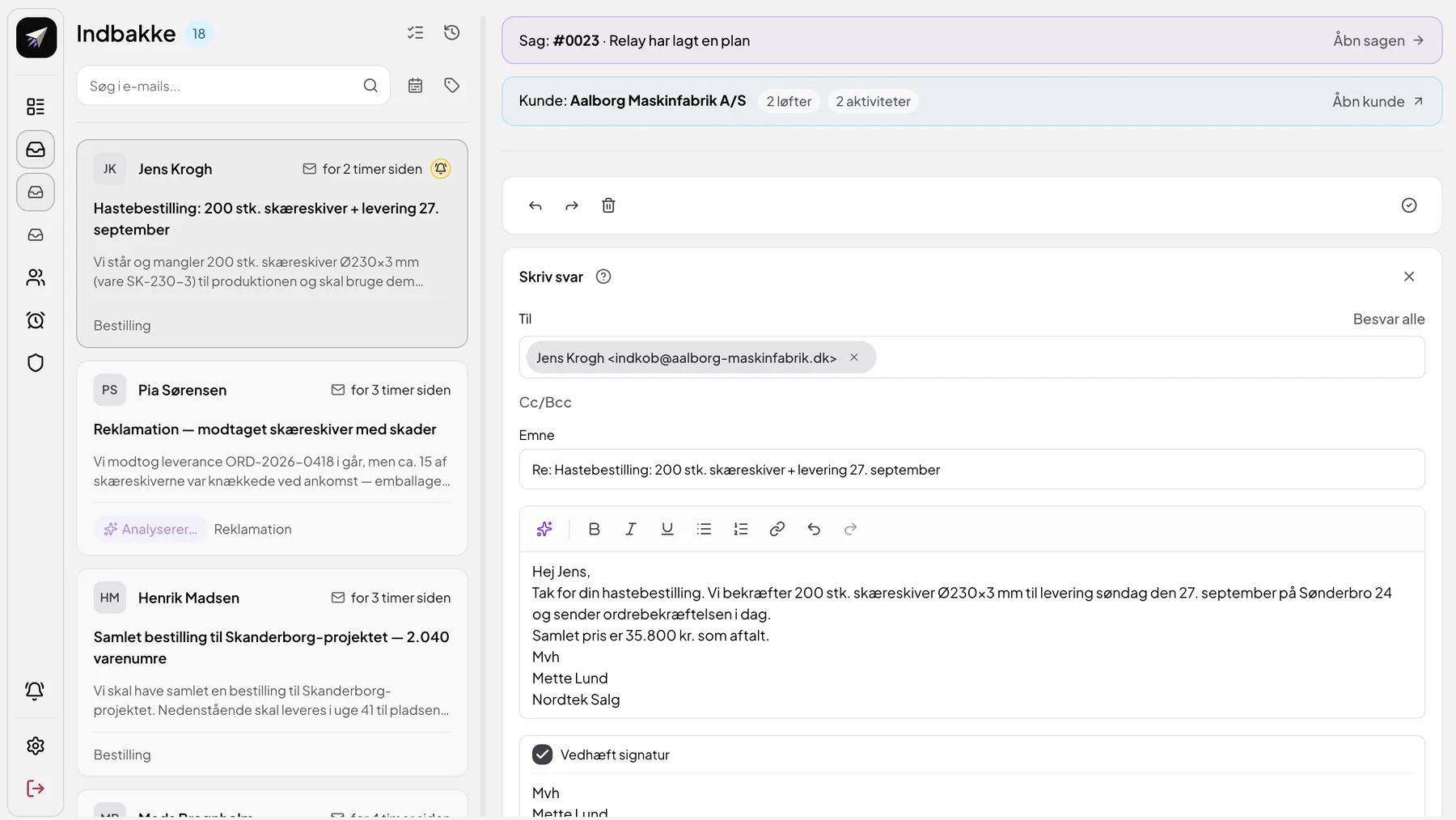
Relay's inbox with the customer's email, the linked case and customer, and a draft reply
The customer's email
The customer's email about a rush order of 200 cutting discs
Relay finds the customer and the history
The email is linked to the customer with promises and activities
Draft reply for your approval
Draft reply confirming quantity, delivery and price
The challenge

A simple customer email can put the whole company to work.

The customer writes a few lines. Before anyone can reply, the information has to be found in several systems and often from several colleagues.

New email 2 hours ago
JK Jens Krogh
Rush order: 200 cutting discs + delivery 27 September
We're short of 200 cutting discs Ø230×3 mm (item SK-230-3) for production and need them …
Email
CRM
ERP
Colleagues
1 2 3 4 5 6
What did we agree with the customer last time?
Which items can we deliver?
Who has the information?
Who follows up from here?
Step
Start
The customer's email
01
Find the customer.
02
Read previous correspondence.
03
Look up items, prices and stock levels.
04
Check something with a colleague.
05
Prepare a quote or an order.
06
Write back.

Illustration of a typical process. The questions are examples of what needs to be clarified along the way.

The customer's emailEmail
1
Find the customer.CRM
2
Read previous correspondence.Email
What did we agree with the customer last time?
3
Look up items, prices and stock levels.ERP
Which items can we deliver?
4
Check something with a colleague.Colleagues
Who has the information?
5
Prepare a quote or an order.ERP
6
Write back.Email
Who follows up from here?

Illustration of a typical process. The questions are examples of what needs to be clarified along the way.

How it works

Give the customer inquiry the context it needs.

Relay works between your customer emails and the connected ERP and CRM systems, and prepares the work up to approval.

How to read the flow
Suggestion
Relay has prepared it. It hasn't been sent yet.
Approval
An employee has reviewed and approved it.
Done
The reply has been sent, or the action has been completed.
1 Incoming email

The customer writes.

An existing customer needs 200 cutting discs for delivery on 27 September and asks for a confirmation.

The customer's email in Relay's inbox
2 Relay gathers context

Relay finds relevant customer history and data from the connected systems.

The email is linked to the customer. Previous agreements, activities and orders are gathered, e.g. an agreed freight price and the latest reorder.

The email is linked to the customer
Previous agreements and orders with the customer
3 Suggestion

Relay prepares a reply and the relevant quote or order details.

The case is set up with a plan and a draft reply confirming quantity, delivery and price.

Relay has made a plan for the case
The case with the draft reply ready
4 Approval

The person responsible reviews, edits and approves before the next action.

The reply is only sent once the employee has approved it. The same applies to actions in the ERP, if they're part of your setup.

The draft reply can be edited before approval
Done once approved
Relay · Case #0023
Email from the customer
The customer's email about a rush order
Relay has gathered the context
The email is linked to the customer with two promises and two activities
Shared context with promises, agreements and activities
Suggestion ready for review
Relay has made a plan for case #0023
The case is marked ready for approval with the draft reply ready
For review and approval
The draft reply can be edited before it's approved
Done: the reply was sent after approval
Capabilities

What Relay does for you depends on the systems and rules you set up. Here are the four most important capabilities.

01Customer context

Get the customer's full picture.

Relay links the email to the customer and gathers correspondence, previous agreements and orders around the inquiry. The employee gets a single starting point and doesn't have to search through the inbox and systems first.

  • Emails linked to the customer and the history
  • Promises and agreements from previous dialogue
  • Orders and customer data from connected systems
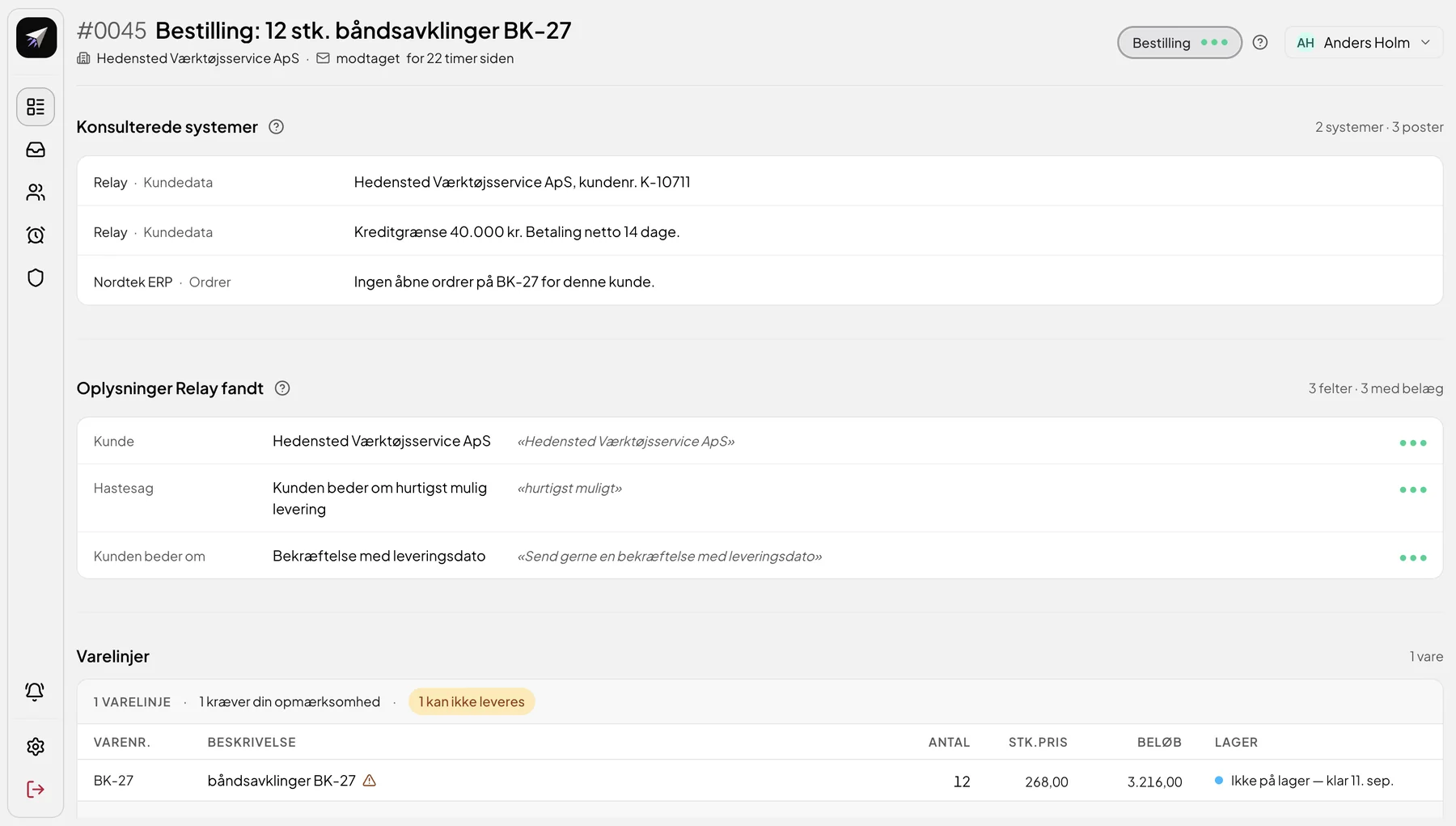
The email is linked to the customer with promises and activities
Shared context: promises, agreements and activities with the customer
From previous dialogue
The email is linked to the customer
Agreements and orders from previous dialogue
02Groundwork

Let the groundwork come to you.

Relay reads the inquiry and any attachments and writes a draft reply based on the customer dialogue and your way of communicating. Quotes, order details and order lists are prepared from the information the setup gives access to.

  • Draft replies in your own tone
  • Quotes, order details and order lists ready for review
  • Deviations are flagged, e.g. items that are out of stock
Draft reply to the customer in Relay
Draft reply
Item lines with a deviation: 1 cannot be delivered
Draft reply to the customer
Item lines: 1 cannot be delivered
03Basis and approval

See the basis. Keep the approval.

For each suggestion, the employee can see which systems Relay looked up and what in the email the suggestion is based on. The suggestion can be edited, accepted or rejected. Sending and actions in the ERP require approval according to your rules.

  • Sources and records from the systems used
  • Quotes from the customer's email as evidence
  • Accept, edit or reject
Systems consulted and information Relay found, with quotes from the email
Source
Evidence from the customer's email
Relay's suggestion with the Accept and Reject buttons
The employee decides
Relay's suggestion with rationale and the Accept and Reject buttons
04Handover

Make it easier to take over.

Customer history, agreements and responsibility are in one place. Everyone can see who owns the customer and what has been promised. When a colleague is away, or a case changes hands, the next person can continue without starting over.

  • Responsible employee on customers and cases
  • Reminders and follow-up
  • Shared history for the whole team
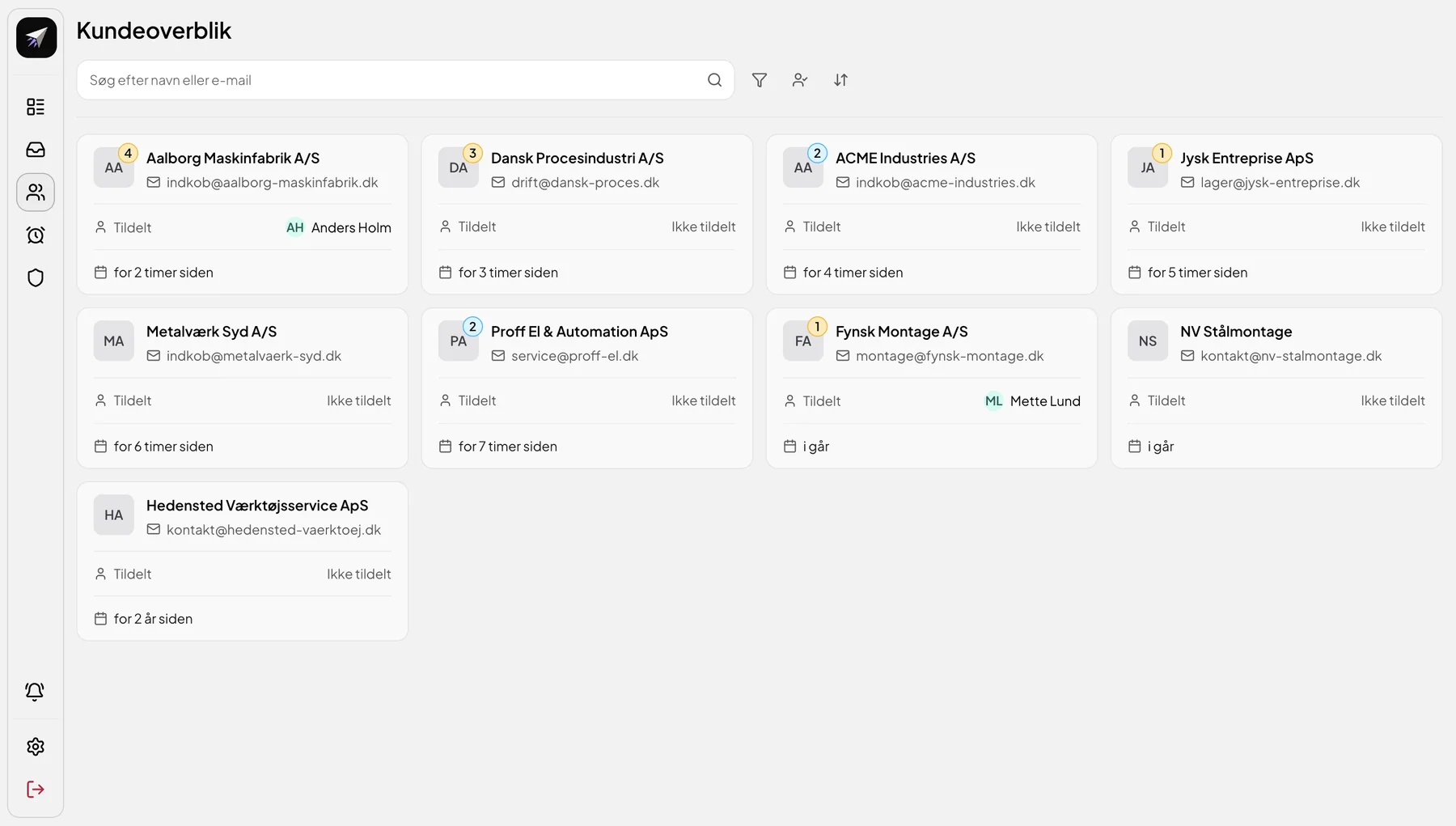
Customer assigned to Anders Holm
Customer assigned to Mette Lund
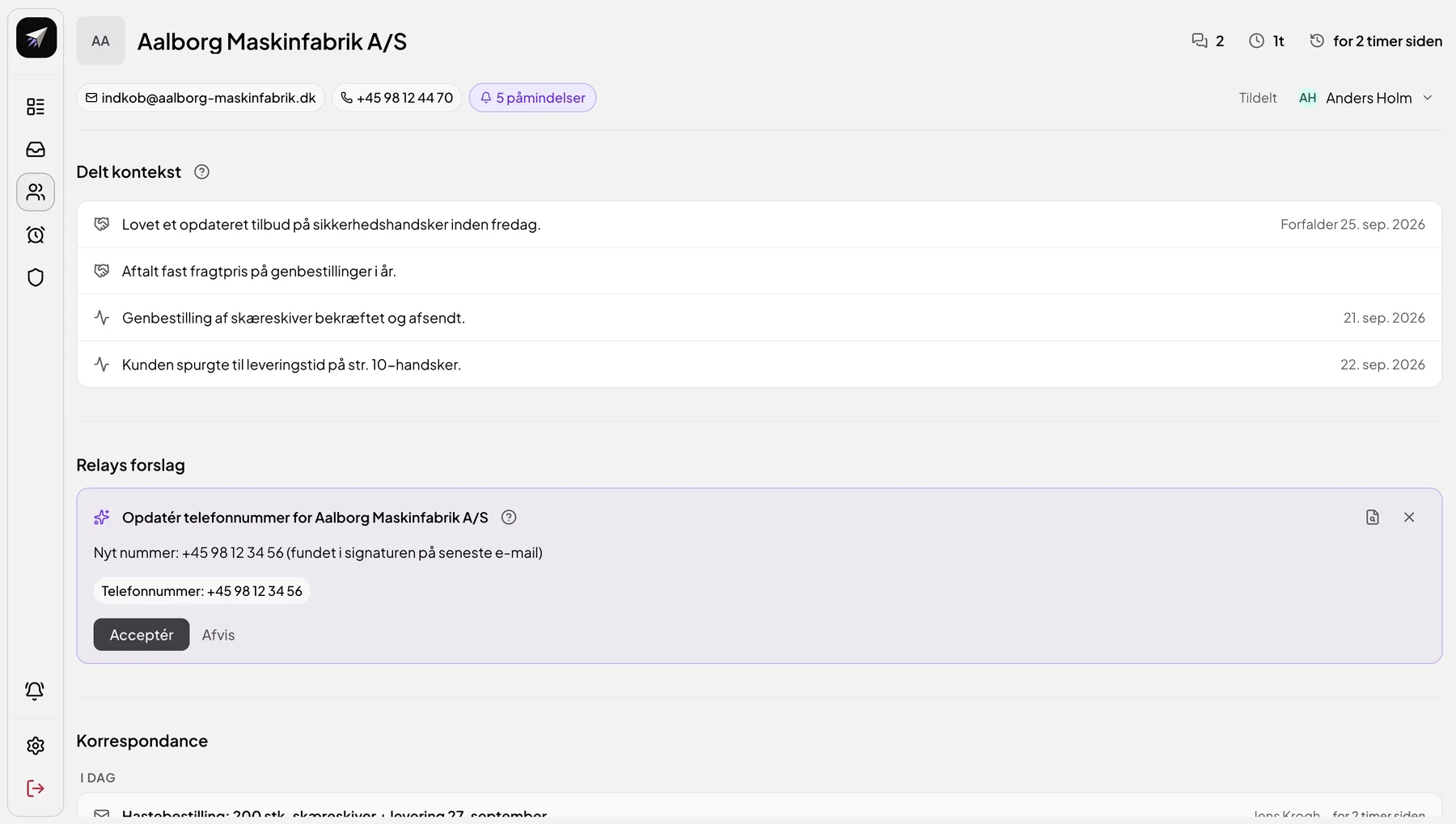
The customer card with contact details and five reminders
Follow-up
Customer assigned to Anders Holm
Customer assigned to Mette Lund
Overview

Customer dialogue and business data. Gathered around the task.

This is what a customer looks like in Relay: dialogue, data, suggestions and responsibility on one page.

The customer page in Relay with shared context, Relay's suggestions, correspondence and responsible employee
1 2 3 4
The customer page in Relay
1 2 3 4

Swipe to see the whole customer page.

1Dialogue

All correspondence with the customer in one place.

2Data

Promises, agreements and activities from the dialogue and the connected systems.

3Suggestion

Relay's suggestions wait until an employee accepts or rejects them.

4Responsibility

The employee who owns the customer and follows up.

Setup

Your workflows are the starting point.

Together with you, BCT clarifies which workflows, data sources, responsibilities and approvals Relay should follow, and adapts Relay accordingly.

You can start with one well-defined workflow and expand once it works.

1
Choose a well-defined workflow and the relevant mailboxes.
E.g. quotes and orders from existing customers.
2
Clarify data, integrations and rules.
Which systems Relay may read from, what it may prepare, and where approval is required.
3
Test the flow with the employees who will use it.
Their experience is used to adjust the flow before it's expanded.
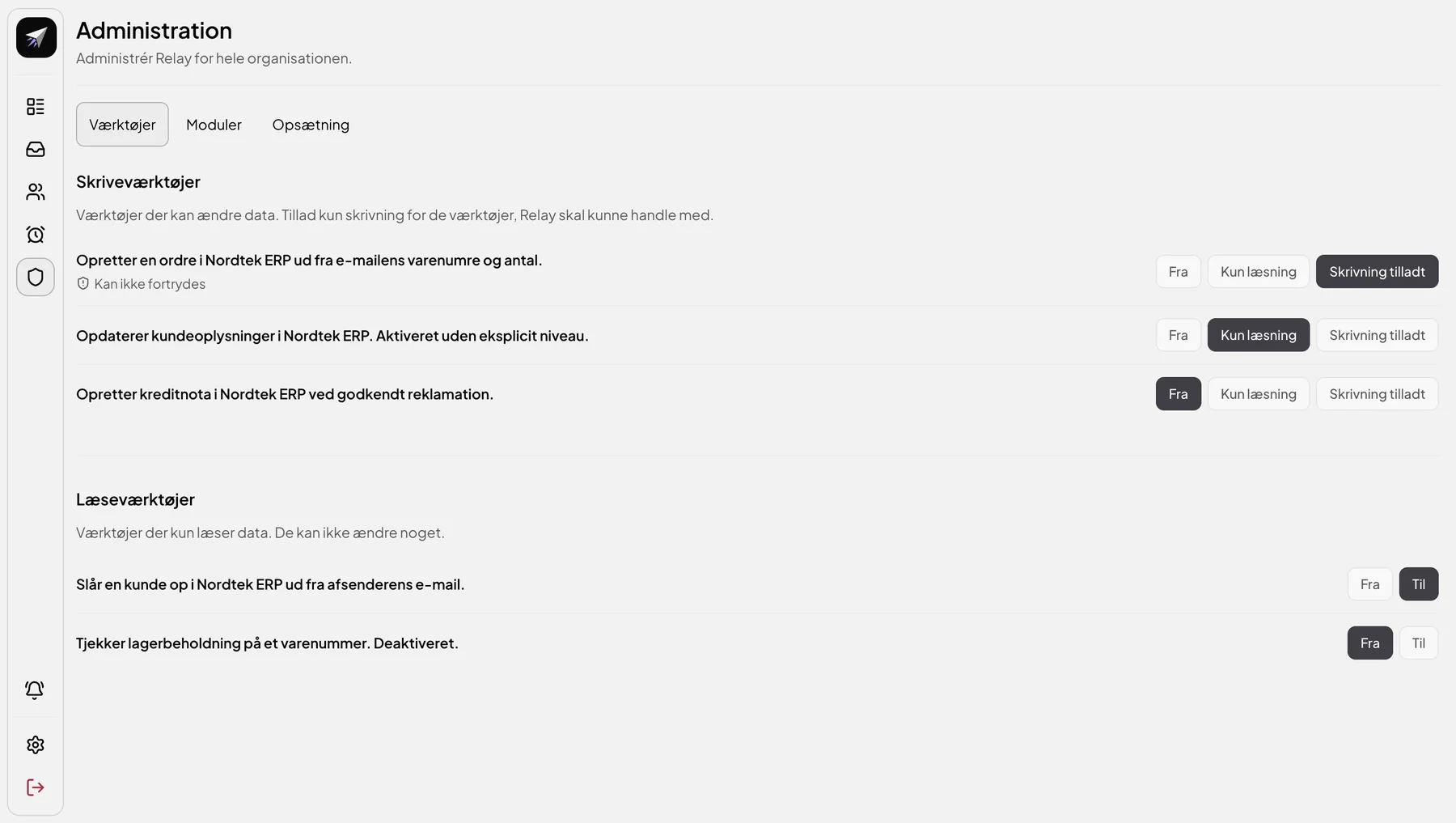
Administration in Relay: for each tool, choose Off, Read only or Write allowed
You choose what Relay is allowed to do

Example from Relay's administration: For each tool, you choose whether Relay may not use it, may only read, or may also write.

The options Off, Read only and Write allowed for three tools

Example from Relay's administration: For each tool, you choose whether Relay may not use it, may only read, or may also write.

How much work lies between a customer email and your reply?

Book a demo, and let's start from your customer inquiries, systems and workflows.

The most human AI company in the world.
Born digital. Built different.
Contact
info@blackcapitaltechnology.com
Mølleå 3-5,
9000 Aalborg
Denmark
(+45) 39 39 42 43
CVR:
DK-42380784
Tordenskiolds gate 2,
0160 Oslo
Norway
(+47) 907 00 863
Org. nr.:
NO-933435458